How to get your first world running
A beautiful map alone will not get Fantasy World Manager's simulation moving. You need to define resources, inhabitants, zones, and activities that give characters something to do. Start with the tutorial and a manageable settlement concept before designing an entire continent.
This guide focuses on the demo documented in June 2026. Later builds may change editor options, tutorial requirements, and the behavior of individual simulation systems.
The tutorial introduces a chain of connected definitions: resources, equipment, points of interest, drops, NPCs, factions, city zones, farm zones, and creature spawns. Its introductory message estimates about 30 minutes and explains that players can return to it or open the guidebook. Superdreuzel's tutorial playthrough shows this introduction and the initial terrain objectives.
For your first attempt:
- Follow the tutorial's sequence so you encounter the required definitions in context.
- Build the requested terrain without spending the entire session decorating it.
- Keep resource names and descriptions easy to recognize.
- Create a limited set of inhabitants and faction identities.
- Set up zones with activities such as farming, hunting, or fighting.
- Observe what characters actually do before adding more complexity.
Treat this first world as a learning project. A settlement with a few understandable activities makes it easier to identify missing setup than a sprawling map filled with unfinished ideas.
Build terrain and define usable resources
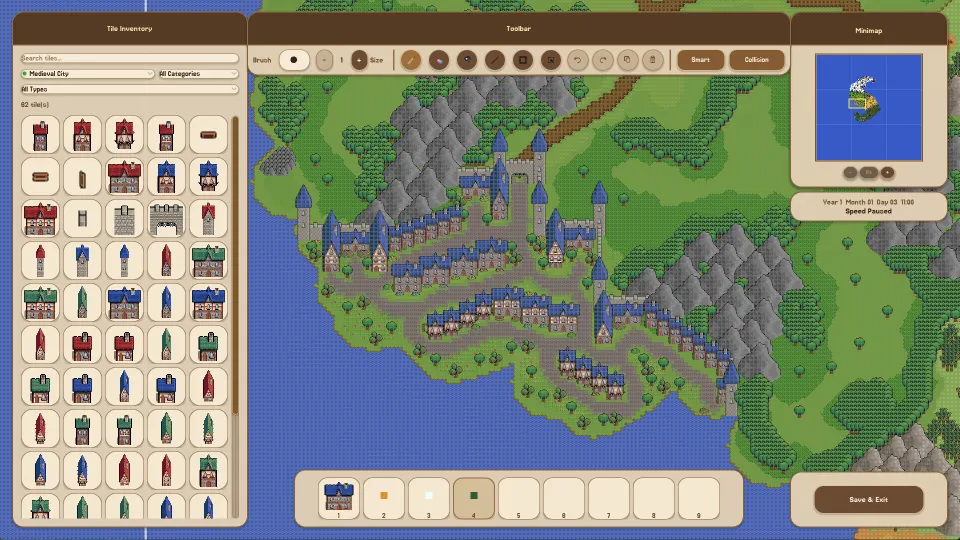
The exterior editor establishes the physical setting. You paint land and place landscape objects, giving later zones, points of interest, and creature spawns somewhere to exist.
In the demonstrated tutorial, the first terrain assignment uses these targets:
| Terrain task | Tutorial requirement |
|---|---|
| Paint ground | At least 40,000 ground tiles |
| Place trees | At least 100 trees |
| Place mountains | At least 10 mountains |
These numbers are tutorial completion requirements, not a recommended ratio for every world. Concentrate on satisfying the assignment while leaving recognizable areas for your settlement and surrounding activities.
The playthrough uses the tree and mountain filters to find the relevant objects. Filters are useful when the tile catalog feels overwhelming: select the category you need instead of browsing every decorative option.
Keep terrain decoration separate from resource definitions. Placing a tree does not, by itself, create a resource named wood. The demo's setup process also asks players to define resources manually, including a name, icon, and description.
Use straightforward labels while learning. A resource called “Wood” is easier to recognize across unfamiliar interfaces than several elaborate names for similar materials. Distinctive lore can come after you understand the configuration.
Once a resource exists, continue through the tutorial's related equipment, point-of-interest, and drop setup. The practical goal is to understand how definitions connect. A landscape object, a resource entry, and a configured activity serve different purposes, even when all three represent parts of the same forest.
Create inhabitants, factions, and zones
Fantasy World Manager asks you to author several parts of its population. Race, culture, and religion are separate definitions, and the developer has stated that all three participate in the simulation.
The early editors offer considerable freedom but limited guidance about balanced values. For a first world, keep your choices simple enough that you can remember what you changed.
| Definition | Role described in the demo |
|---|---|
| Race | Includes configurable character stats |
| Culture | Includes configurable stat bonuses |
| Religion | Has its own editor and contributes to the simulation |
| Faction | Can be assigned ownership of a zone |
The developer's Steam discussion response acknowledged that race, culture, and religion offered limited variation at that stage. It also announced plans for prefabs and additional random generators to reduce manual creation work.
Treat those statements as development plans for that build. If an editor opens without ready-made entries, manual creation may be part of the expected setup.
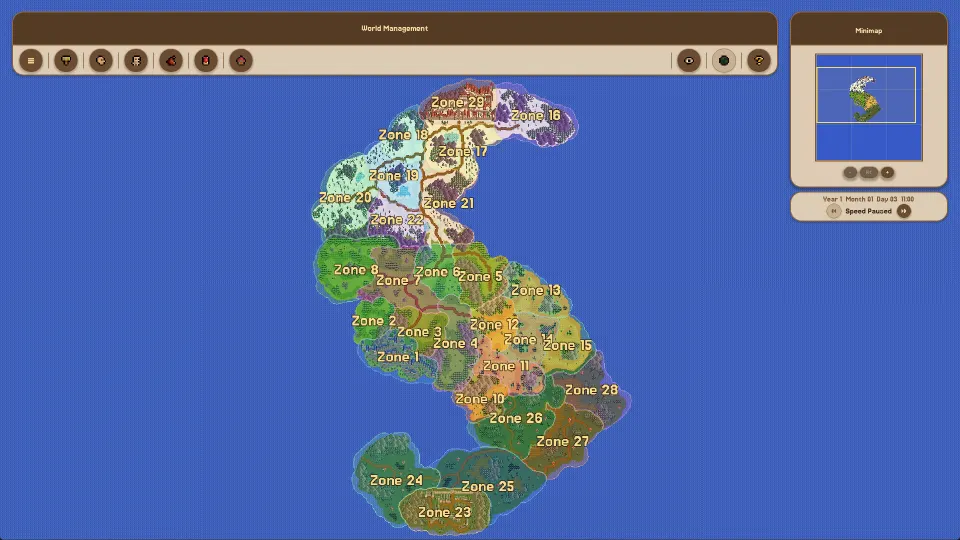
Zones provide another layer of organization. The demonstrated zone editor includes normal and city types, an owner setting that can be neutral or a faction, and a conquerable option. The tutorial introduction also identifies farm zones as part of the setup chain.
Give each initial zone a clear purpose. For example, use recognizable names for your settlement area and the surrounding hunting or farming areas. This is an organizational recommendation, not a required naming scheme.
Finish the relevant NPC and faction steps before expanding your roster. Adding many identities at once increases the amount of configuration you must understand without necessarily making the first simulation easier to evaluate.
Set up creatures and points of interest
An empty creature selection list can mean you have not created a creature definition yet. In the demonstrated editor session, the player initially finds no creatures available, then creates an animal and returns to the zone's creature-spawn settings.
That distinction matters: defining a creature and configuring its presence in a zone are separate steps.
The creature-editor demonstration shows several configurable fields:
| Setting | What the editor lets you configure |
|---|---|
| Icon and world appearance | A menu icon and the creature's visual representation |
| Temperament and behavior | Options including neutral temperament and tameable behavior |
| Flee threshold | A health percentage for fleeing |
| Respawn time | A respawn interval expressed in seconds |
| Maximum loot rolls | A limit on loot rolls |
The editor also exposes many combat-related attributes, including health, mana, initiative, evasion, damage, and perception. Avoid treating the demonstrator's experimental numbers as recommended balance settings. They were exploratory choices, not an established beginner build.
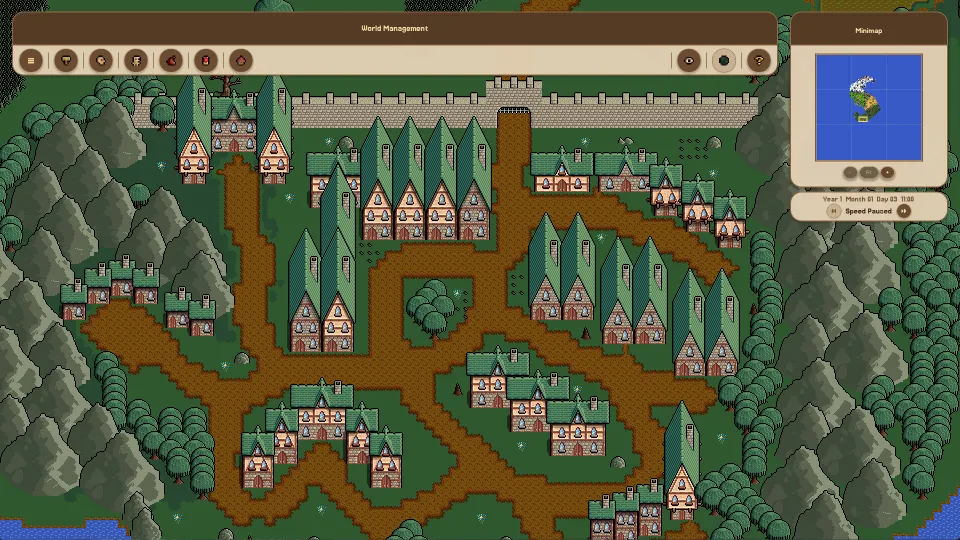
Create one recognizable animal first, then return to the intended zone and configure its spawn entry. Check the map carefully afterward: the demonstration shows that spawned animals can be small enough to overlook.
Points of interest provide another part of the activity setup. The developer describes farming locations, huntable animals, and monsters as things that give heroes tasks.
For an initial world, choose a small selection of activities you can recognize when they occur. If heroes have nothing obvious to pursue, review both the zone setup and the relevant activity definitions. Adding more scenery alone does not complete those configurations.
Understand what the demo simulates
Fantasy World Manager's early demo relies on player-built locations. The developer explicitly explained that buildings do not construct themselves. Characters can participate in simulation systems without autonomously expanding the towns you designed.
The developer's community explanation of simulation behavior distinguishes existing systems from work planned for later updates:
| System | Status described for the early demo |
|---|---|
| Autonomous construction | Buildings do not build themselves |
| Hero activities | Heroes perform tasks associated with farming, hunting, and fighting |
| Diplomacy, trade, and basic crafting | Described as already present |
| Civilian lives | Households, relationships, and children are simulated |
| Civilian professions | Broader movement outside cities for jobs was planned |
| Military activity | More visible patrols, frontline defense, and warfare were tied to upcoming balancing |
This explains why a world may look peaceful even after factions exist. The developer described the early simulation as overwhelmingly peaceful while balance work continued. A lack of immediate warfare is therefore not enough to identify a setup mistake.
The planned profession changes would also shift some work from heroes to civilians. Heroes were intended to become more focused on military activity as those systems developed.
Another described interaction involved zone threat: uncleared monsters would increase danger, eventually discouraging civilians from entering an area to work. Treat that as part of the developer's explanation of the intended behavior, rather than a guarantee that every part operated fully in the early demo.
When evaluating your world, distinguish a missing definition from a feature still being developed. Inspect one zone and one activity at a time so your observations remain useful.
FAQ
Where should I start with this fantasy world manager guide?
Start with the tutorial, complete its terrain objectives, and follow the sequence of entity and zone creation. Keep your first project limited to a manageable settlement concept with a few recognizable activities. The tutorial introduces dependencies that are easy to miss when exploring editors independently.
Will inhabitants build houses or expand my city?
Not in the early demo described by the developer. You construct the world and its buildings yourself. Simulated households, relationships, and character activities do not mean that settlements automatically add structures. Plan your initial city around what you are prepared to place and configure.
Why are there no animals in the spawn list?
You may need to create an animal in the creature editor first. After defining it, return to the zone editor and configure its creature-spawn entry. Creating the definition alone is not the same as completing the zone's spawn setup. Small creatures may also be difficult to spot on the map.
Are templates and random generators available everywhere?
The June developer response announced plans for prefabs across the editors and random generators for interfaces that still lacked them. That announcement does not establish that every editor already included those tools. When working in the early demo, expect some resources, inhabitants, and creatures to require manual configuration.